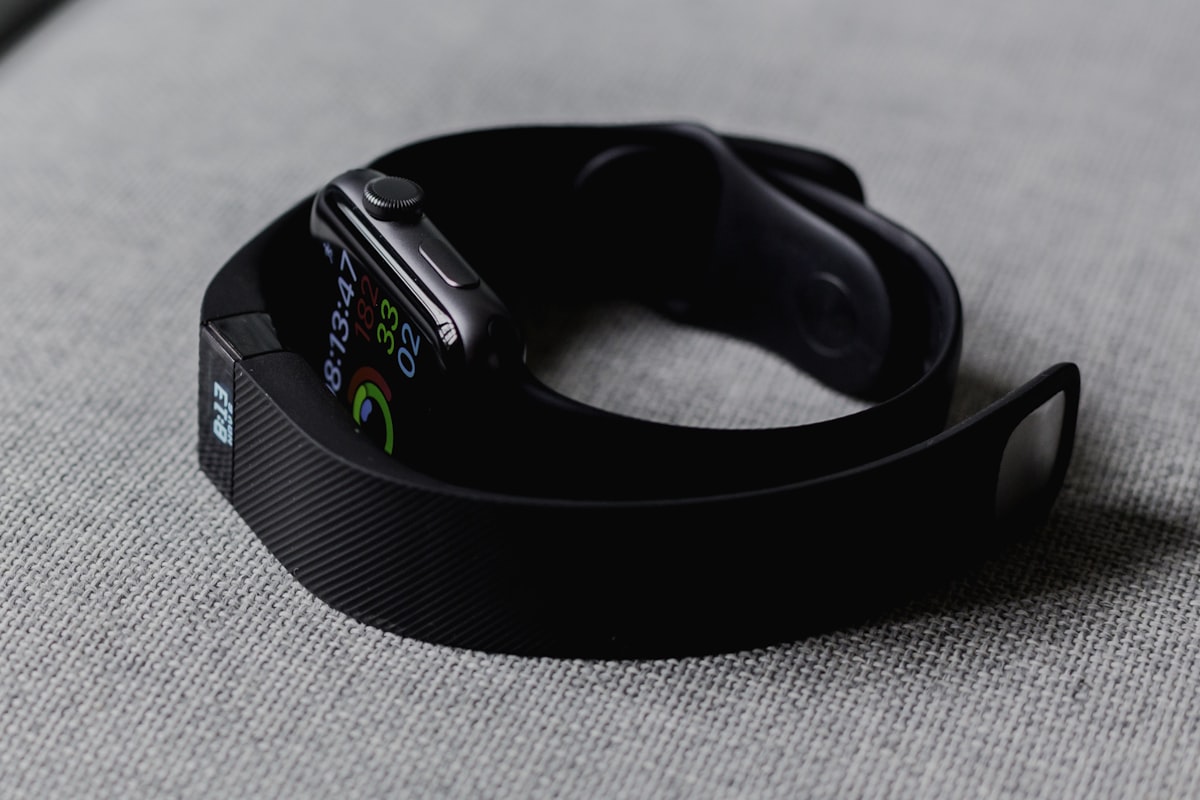

If you have spent more than five minutes searching for a health tracking app in 2026, you have almost certainly run into the same three names: Fitbit, Apple Health, and myHealthMate. They are some of the most-downloaded health apps in the world — but they solve very different problems.
This guide breaks down Fitbit vs Apple Health vs myHealthMate across the things that actually matter: hardware needs, accuracy, AI insights, nutrition tracking, blood report analysis, privacy, and price. By the end you will know exactly which one fits your phone, your budget, and your health goals.
<img src="https://images.unsplash.com/photo-1510017803434-a899398421b3?w=1200&q=80" alt="Fitbit vs Apple Health vs myHealthMate comparison — fitness tracker, Apple Watch and smartphone health app" style="width:100%;border-radius:16px;margin:16px 0;" loading="lazy" />
---
Quick Verdict: Fitbit vs Apple Health vs myHealthMate
| Feature | Fitbit | Apple Health | myHealthMate |
|---|---|---|---|
| Works without a wearable | ❌ Needs a Fitbit device | ⚠️ Limited (needs iPhone, ideally Apple Watch) | ✅ Yes — phone-only |
| Platform | Android + iOS | iPhone only | Android + Web (iPhone via web) |
| Step & activity tracking | ✅ Excellent (with device) | ✅ Excellent (with iPhone/Watch) | ✅ Built-in step counter + Google Fit sync |
| Sleep tracking | ✅ Stages + score | ✅ Stages (with Apple Watch) | ✅ Daily logs + AI insights |
| AI meal scanner (photo → calories) | ❌ | ❌ | ✅ Free, photo-based |
| AI blood report analysis | ❌ | ❌ | ✅ HbA1c, lipid, thyroid, vitamin D |
| AI health chat (24/7) | ❌ | ❌ | ✅ Free |
| Personalized 7-day meal plan | ⚠️ Premium only | ❌ | ✅ Free |
| Indian foods supported | Limited | Limited | ✅ Built-in 33+ Indian dishes |
| Free tier | Basic only | Free (with iPhone) | ✅ 100% free, no ads, no subscription |
| Hardware cost | ₹3,000 – ₹25,000 / $50 – $300 | ₹40,000+ iPhone (+ Apple Watch optional) | ₹0 — works on any phone |
TL;DR: Use Apple Health if you live inside the Apple ecosystem and own an Apple Watch. Use Fitbit if you want a dedicated fitness band and don't mind a paid subscription for advanced insights. Use myHealthMate if you want a complete AI-powered health companion — meal scanning, blood report analysis, AI chat and meal planning — without buying any hardware or paying a subscription.
---
What is Fitbit? (And What Has Changed Since Google Bought It)
Fitbit is a wearable-first ecosystem. Founded in 2007 and acquired by Google in 2021, Fitbit pairs its trackers and smartwatches (Inspire 3, Charge 6, Versa 4, Sense 2) with the Fitbit app on Android and iOS. It is best known for:
- Continuous heart rate monitoring
- Sleep stages and a daily Sleep Score
- Stress management with EDA scans
- A clean step / floor / active-zone-minute dashboard
- A social leaderboard with friends and family
The catch: almost all of Fitbit's value depends on owning a Fitbit device. The app on its own can log basic data, but you lose the headline features (heart rate, sleep stages, SpO₂, ECG) without the wearable. Premium features — guided programs, advanced analytics, mindfulness audio — sit behind Fitbit Premium (~$9.99/month).
Fitbit also recently merged sign-in with Google accounts, and some long-time features (challenges, Adventures) have been retired during the migration.
---
What is Apple Health?
<img src="https://images.unsplash.com/photo-1551816230-ef5deaed4a26?w=1200&q=80" alt="Apple Health app on iPhone showing activity rings, sleep and heart data" style="width:100%;border-radius:16px;margin:16px 0;" loading="lazy" />
Apple Health is the iPhone's built-in health hub. It is preinstalled on every iPhone, automatically counts steps using the iPhone's M-series motion coprocessor, and acts as a central database that other apps (Strava, MyFitnessPal, Peloton, etc.) write into.
What Apple Health does brilliantly:
- Steps, walking distance and flights climbed — automatic, no setup
- Sleep tracking, heart rate, ECG, blood oxygen — when paired with an Apple Watch
- Cycle tracking, mindful minutes, mobility metrics
- A surprisingly powerful health record system that can store lab results from US healthcare providers
- Industry-leading privacy — data is encrypted on-device
The catch: Apple Health is an iPhone-only platform. It is not available on Android. To unlock its full power you also need an Apple Watch (₹40,000+ / $400+) for continuous heart rate, ECG, sleep stages, and crash detection. And while it stores data beautifully, it does not actively coach you, plan meals, or analyze blood reports with AI.
---
What is myHealthMate?
myHealthMate is a free AI-powered health companion that runs as a Progressive Web App and a native Android app. It was built around a simple idea: not everyone owns a $400 smartwatch, but everyone deserves a personal health coach.
What makes it different:
- AI Meal Scanner — snap a photo, get calories, protein, carbs and fat in under 10 seconds (works great with Indian dishes)
- AI Blood Report Analysis — upload any lab report (CBC, HbA1c, lipid, thyroid, vitamin D) and get a plain-English explanation with personalized diet and lifestyle tips
- AI Health Chat — 24/7 chat for symptoms, conditions, medications and lifestyle questions
- Personalized 7-day Meal Plans — vegetarian, vegan, non-veg, low-carb, diabetic-friendly
- Built-in step counter that uses your phone's motion sensor — no wearable required
- Google Fit integration — sync data from a Mi Band, Pixel Watch, Wear OS, or any Android wearable
- Wellness Hub — yoga, breathing, meditation, sleep tools, all free
- 100% free — no ads, no subscription, no credit card
If Fitbit is the "wearable first" approach and Apple Health is the "iPhone ecosystem" approach, myHealthMate is the "AI-first, hardware-optional" approach.
📲 Download myHealthMate free on Google Play or open it in any browser.
---
Fitbit vs Apple Health vs myHealthMate: Feature-by-Feature
1. Hardware Requirements & Total Cost
| Fitbit | Apple Health | myHealthMate | |
|---|---|---|---|
| Phone needed | Android or iPhone | iPhone only | Any Android or any browser |
| Wearable needed | Yes (Fitbit) | Optional (Apple Watch recommended) | No (optional Wear OS / Mi Band sync) |
| Entry cost | ~$50 / ₹3,000 (Inspire 3) | ~$429 / ₹40,000 (iPhone SE) | ₹0 |
| Full-feature cost | $200+ device + $9.99/mo Premium | $429 iPhone + $399 Apple Watch | ₹0 |
Winner: myHealthMate — the only option that's genuinely free and hardware-optional.
2. Step & Activity Tracking
All three are accurate at counting steps, but the source data is different:
- Fitbit uses the wrist accelerometer — best when worn 24/7
- Apple Health uses the iPhone's M-coprocessor (when carried) plus the Apple Watch (when worn)
- myHealthMate uses your phone's motion sensor and can also pull from Google Fit — so it works whether you carry your phone or wear a Wear OS / Mi Band tracker
If you want the most reliable step count without a wearable, Apple Health and myHealthMate tie. If you want every step including those without your phone (gym, runs), you need a Fitbit or Apple Watch. For a deeper dive, see How many steps a day do you actually need?.
3. Sleep Tracking
- Fitbit: industry-leading sleep stages (light, deep, REM) and a daily Sleep Score — needs the device worn at night
- Apple Health: sleep stages with Apple Watch, basic sleep schedule with iPhone alone
- myHealthMate: lets you log bedtime/wake-up and gives weekly sleep insights; if you wear a Wear OS / Mi Band, sleep stages flow in via Google Fit
Winner for hardware-based depth: Fitbit. Winner for hardware-free coaching: myHealthMate.
4. Calorie & Nutrition Tracking — This Is Where the Gap Is Huge
<img src="https://images.unsplash.com/photo-1490645935967-10de6ba17061?w=1200&q=80" alt="AI meal scanner analyzing food on a plate to estimate calories and macros" style="width:100%;border-radius:16px;margin:16px 0;" loading="lazy" />
This is where most people are surprised:
- Fitbit: has a basic food log with a small US-centric food database. No photo recognition. Indian dishes are barely supported.
- Apple Health: doesn't track food at all on its own. You need a third-party app (MyFitnessPal, Lose It!) that writes data into Apple Health.
- myHealthMate: has a built-in AI photo meal scanner that identifies food, estimates portion size, and calculates calories + macros in under 10 seconds. Plus a manual picker with 33+ common Indian and international foods.
If nutrition is part of your goals — and it usually is — myHealthMate is in a different league. Read our deep-dive: Best AI Meal Scanner for Nutrition Tracking.
5. AI Insights & Blood Report Analysis
This is the headline gap.
- Fitbit Premium offers a "Daily Readiness Score" and trend insights, but it does not analyze lab reports
- Apple Health can store lab results from connected US healthcare providers but does not interpret them
- myHealthMate lets you upload a photo of any blood report — HbA1c, lipid panel, thyroid (TSH/T3/T4), vitamin D, B12, iron, kidney/liver function — and the AI explains every value in plain language, flags out-of-range numbers, and gives you personalized diet and lifestyle tips. Free.
For most people, this single feature is the deciding factor. Compare the rest of the AI landscape in Best AI Health Tracking Apps 2026.
6. AI Health Chat
- Fitbit: ❌
- Apple Health: ❌
- myHealthMate: ✅ free, 24/7, with conversation history, voice input and text-to-speech
Ask "what should I eat after a 10K run?" or "is my HbA1c of 6.2 normal?" and get a personalized answer in seconds.
7. Privacy
All three companies take privacy seriously, but the models differ:
- Apple Health: gold standard — encrypted on-device, end-to-end iCloud sync
- Fitbit: now part of Google — data is governed by Google's broader privacy policy. Fitbit has stated health data won't be used for ads, but the Google account merge has made some users uncomfortable.
- myHealthMate: stores health data in a secure database; never shares with advertisers or third parties; full account deletion available from Profile → Settings.
Winner for absolute privacy: Apple Health. Best balance of features and privacy: myHealthMate.
8. Indian & Global Lifestyle Fit
- Fitbit: US/Europe-centric food database, weight in lb default, miles default
- Apple Health: globally usable but US health-record integrations only
- myHealthMate: built India-first — INR pricing context, Indian meal database (dal, roti, biryani, idli, dosa), AQI from Open-Meteo, IST-aware reminders, Hindi-friendly AI chat
If you live in India or eat primarily Indian food, see our complete pick: Best AI Health App in India 2026.
---
Which Health App Should You Choose?
Choose **Fitbit** if:
- You already own (or want to buy) a Fitbit Charge 6, Sense 2, or Versa 4
- You are happy paying ~$10/month for Fitbit Premium
- Your main goal is wrist-based fitness and sleep tracking, not nutrition
- You want device-based metrics like SpO₂, ECG, skin temperature variation
Choose **Apple Health** if:
- You own an iPhone, ideally with an Apple Watch
- You want zero setup — it's already on your phone
- Privacy is your #1 concern
- You don't mind using third-party apps (MyFitnessPal, Strava) for nutrition and detailed workouts
Choose **myHealthMate** if:
- You don't want to spend ₹10,000+ on hardware
- You want AI meal scanning, AI blood report analysis, and a 24/7 AI health chat in one free app
- You eat Indian food and want a database that actually understands it
- You want one app for tracking, planning, blood reports, wellness (yoga / breathing / meditation), and even a personalized 7-day meal plan
- You use Android — or you want a powerful health app on a non-Apple phone
You can also use myHealthMate alongside Fitbit or Apple Health: connect Google Fit, and your steps and activity sync automatically while you get AI insights and meal scanning on top.
📲 Download myHealthMate free on Google Play — works on any Android phone, iPhone (via browser), tablet or laptop.
---
How myHealthMate Compares to Other Popular Apps
| Comparison | Read it |
|---|---|
| myHealthMate vs MyFitnessPal | Read the full comparison |
| myHealthMate vs HealthifyMe | Read the full comparison |
| Best fitness tracker apps (with health reports) | See the list |
| Best calorie counter apps in 2026 | See the list |
| Best budget smartwatches for fitness tracking | See the list |
---
Frequently Asked Questions: Fitbit vs Apple Health vs myHealthMate
Is Fitbit better than Apple Health?
Neither is universally "better" — they solve different problems. Fitbit is hardware + app and works on both Android and iOS. Apple Health is software-only, iPhone-exclusive, and reaches its potential only when paired with an Apple Watch. If you have an Android phone, Fitbit (or myHealthMate) is the practical choice. If you have an iPhone and an Apple Watch, Apple Health is excellent — though it doesn't track food or analyze reports.
Can I use Apple Health on Android?
No. Apple Health is exclusive to iPhone, iPad and Apple Watch. The closest Android equivalents are Google Fit, Samsung Health, and AI-first apps like myHealthMate.
Does Fitbit work without a Fitbit device?
You can install the Fitbit app and manually log a few things, but ~95% of Fitbit's value (heart rate, sleep stages, SpO₂, exercise auto-detect, daily readiness) requires a Fitbit wearable. If you want a feature-rich health app without buying hardware, myHealthMate is the better fit.
Is myHealthMate really free?
Yes — 100% free, forever. AI meal scanning, AI blood report analysis, AI health chat, personalized 7-day meal plans, step tracking, sleep logging and the entire wellness hub are all free. No ads, no subscription, no credit card.
Can myHealthMate replace my Fitbit or Apple Watch?
For nutrition, AI insights, blood report analysis, meal planning and AI coaching — yes, completely. For wrist-based features like continuous heart rate, ECG, SpO₂ and gym workout auto-detection, you still need a wearable. The good news: you can sync any Wear OS, Pixel Watch, Mi Band or Google Fit-compatible device into myHealthMate and get the best of both worlds.
Which app is most accurate for step counting?
A wrist-worn Fitbit or Apple Watch is most accurate (because it counts steps even when you're not carrying your phone). Phone-based step counting in Apple Health and myHealthMate is highly accurate (within 5–10%) when you carry your phone. For most everyday goals, the difference is negligible. See How many steps a day do you actually need?.
Is my health data safe in myHealthMate?
Yes. Your health data is stored securely, never shared with advertisers or third parties, and you can delete your account and all associated data at any time from Profile → Settings.
Can I use Fitbit and myHealthMate together?
Yes — and many users do. Wear your Fitbit for 24/7 heart rate and sleep stages, then use myHealthMate for AI meal scanning, blood report analysis, AI chat and personalized meal plans. Steps and activity can sync via Google Fit on Android.
---
Final Verdict
The "Fitbit vs Apple Health" debate usually misses the point: both are tracking platforms, not coaches. They count what you do; they don't tell you what to do next.
myHealthMate fills exactly that gap — and adds the parts a wearable can never deliver: AI photo meal scanning, blood report analysis, a 24/7 AI health chat and personalized meal plans. Best of all, it costs nothing and runs on the phone you already have.
If you can only pick one app this year, start with myHealthMate. Layer Fitbit or Apple Health on top later if you want device-grade biometrics.
📲 Get myHealthMate free on Google Play →
---
Related: Best AI Health Tracking Apps 2026 · Best AI Meal Scanner for Nutrition Tracking · Best Budget Smartwatches for Fitness Tracking · Best AI Health App in India 2026